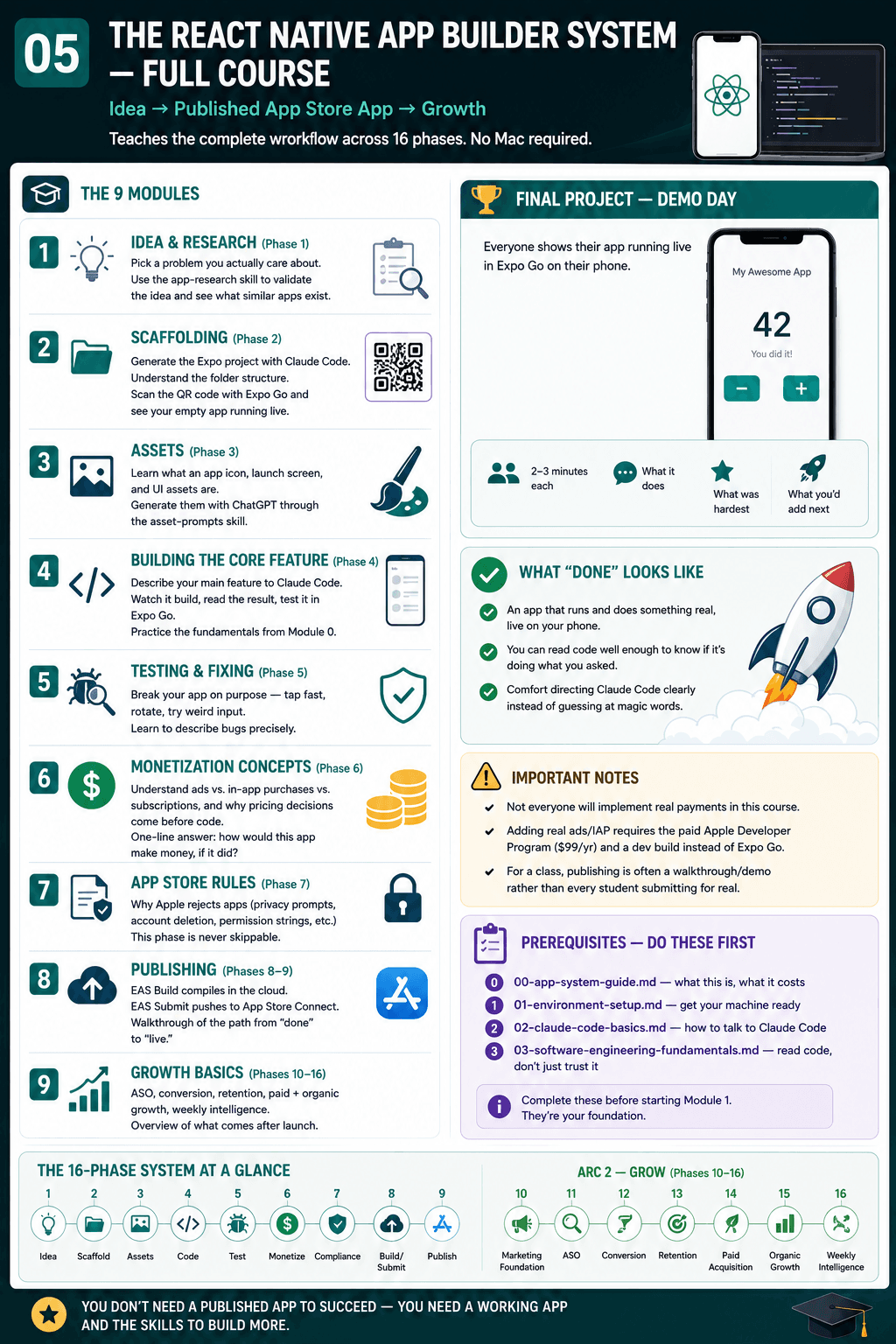
The React Native App Builder System — Full Course
Teaches the complete workflow: idea → published App Store app → growth. Built around the 16-phase system documented in SYSTEM.md. No Mac required at any point. This is the reusable course structure — see team-armstead-curriculum.md for the specific 8-week schedule adapted from this for one cohort.
Prerequisites
Complete these first (each is its own doc in this folder):
00-app-system-guide.md— what this is, what it costs01-environment-setup.md— get your machine ready02-claude-code-basics.md— how to talk to Claude Code03-software-engineering-fundamentals.md— read code, don't just trust it
Module 1 — Idea & Research (maps to Phase 1)
Full lesson: docs/course/lessons/01-idea-and-research.md
- Pick a problem you actually care about — the best student projects come from real frustrations
- Use the
app-researchskill to validate the idea and see what similar apps exist - Deliverable: one clear one-paragraph app concept
Module 2 — Scaffolding (Phase 2)
Full lesson: docs/course/lessons/02-scaffolding.md
- Generate the actual Expo project with Claude Code (
/init— runscreate-expo-app, Expo Router + TypeScript) - Understand the folder structure Expo creates (you don't need to memorize it, just recognize it)
- Scan the QR code with Expo Go on your phone — see the empty app running live
- Deliverable: an empty app that opens and runs in Expo Go on your own phone
Module 3 — Assets (Phase 3)
Full lesson: docs/course/lessons/03-assets.md
- What an app icon, launch screen, and UI assets actually are
- Generate them with ChatGPT through the
asset-promptsskill - Deliverable: your app has a real icon and isn't just gray boxes
Module 4 — Building the Core Feature (Phase 4)
Full lesson: docs/course/lessons/04-core-feature.md
- Describe your main feature to Claude Code in plain English
- Watch it build, read the result, test it yourself in Expo Go
- Practice the fundamentals from Module 0: is this a
letorconst? What type is this? - Deliverable: your app's main feature works
Module 5 — Testing & Fixing (Phase 5)
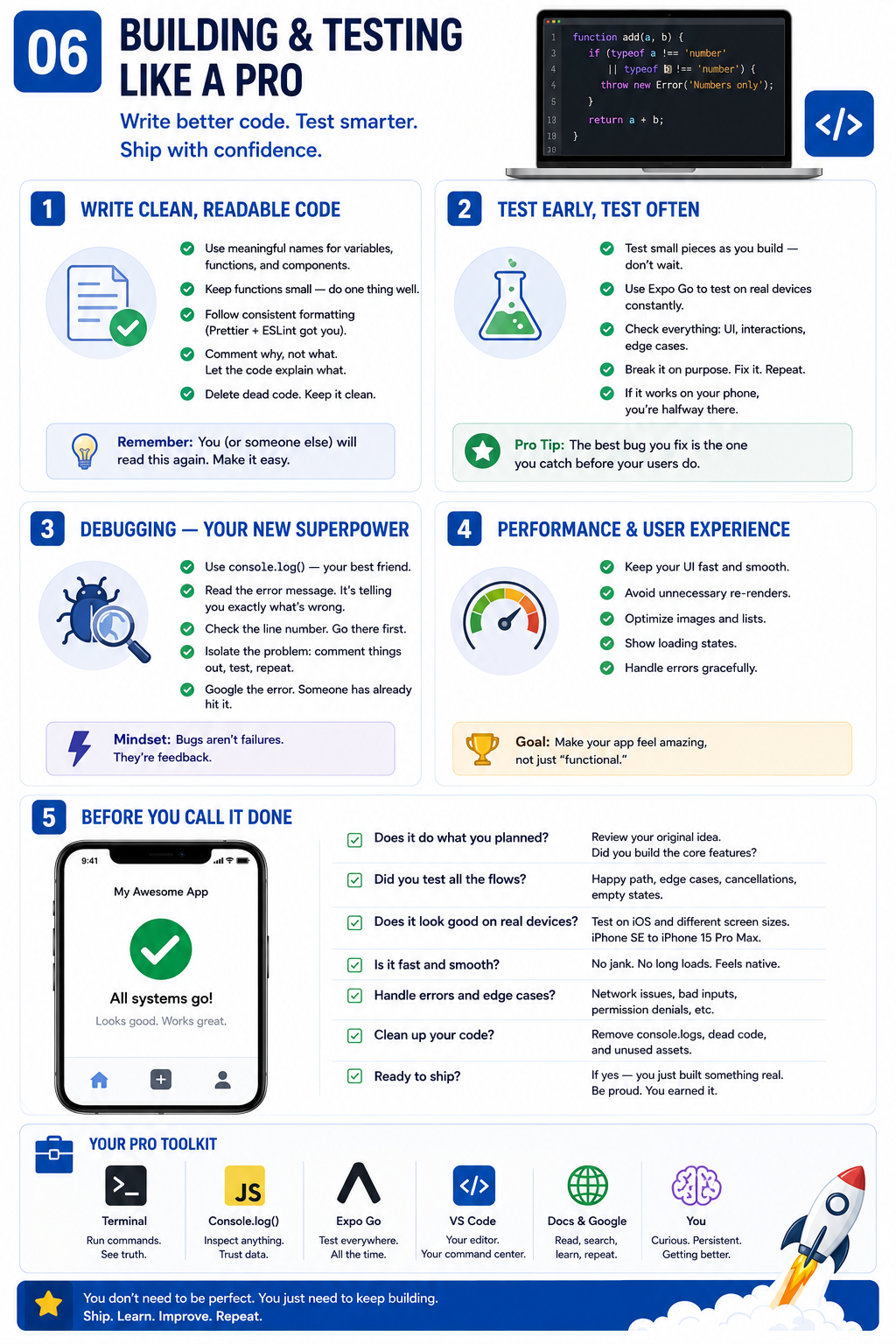
Full lesson: docs/course/lessons/05-testing.md
- Break your own app on purpose — tap things fast, rotate the phone, put in weird input
- Learn to describe bugs precisely ("the button does nothing" is enough — you don't need to point at a line of code)
- Deliverable: your app survives normal use without crashing
Module 6 — Monetization Concepts (Phase 6)
Full lesson: docs/course/lessons/06-monetization.md
- Not everyone will implement real payments in this course — but everyone should understand: ads vs. in-app purchases vs. subscriptions, and why pricing decisions come before code
- Note: adding real ads/IAP means switching from Expo Go to a "dev build," which requires the paid Apple Developer Program ($99/yr) — this is a real decision point, not just a technical detail
- Deliverable: a one-line answer — "how would this app make money, if it did?"
Module 7 — App Store Rules (Phase 7)
Full lesson: docs/course/lessons/07-app-store-rules.md
- Why Apple rejects apps (privacy prompts, account deletion, permission strings — configured differently in Expo than native, but the same underlying rules)
- This is the one phase that's "never skippable" even for a simple class project
- Deliverable: understand the checklist, even if your app isn't submitted for real
Module 8 — Publishing (Phases 8-9)
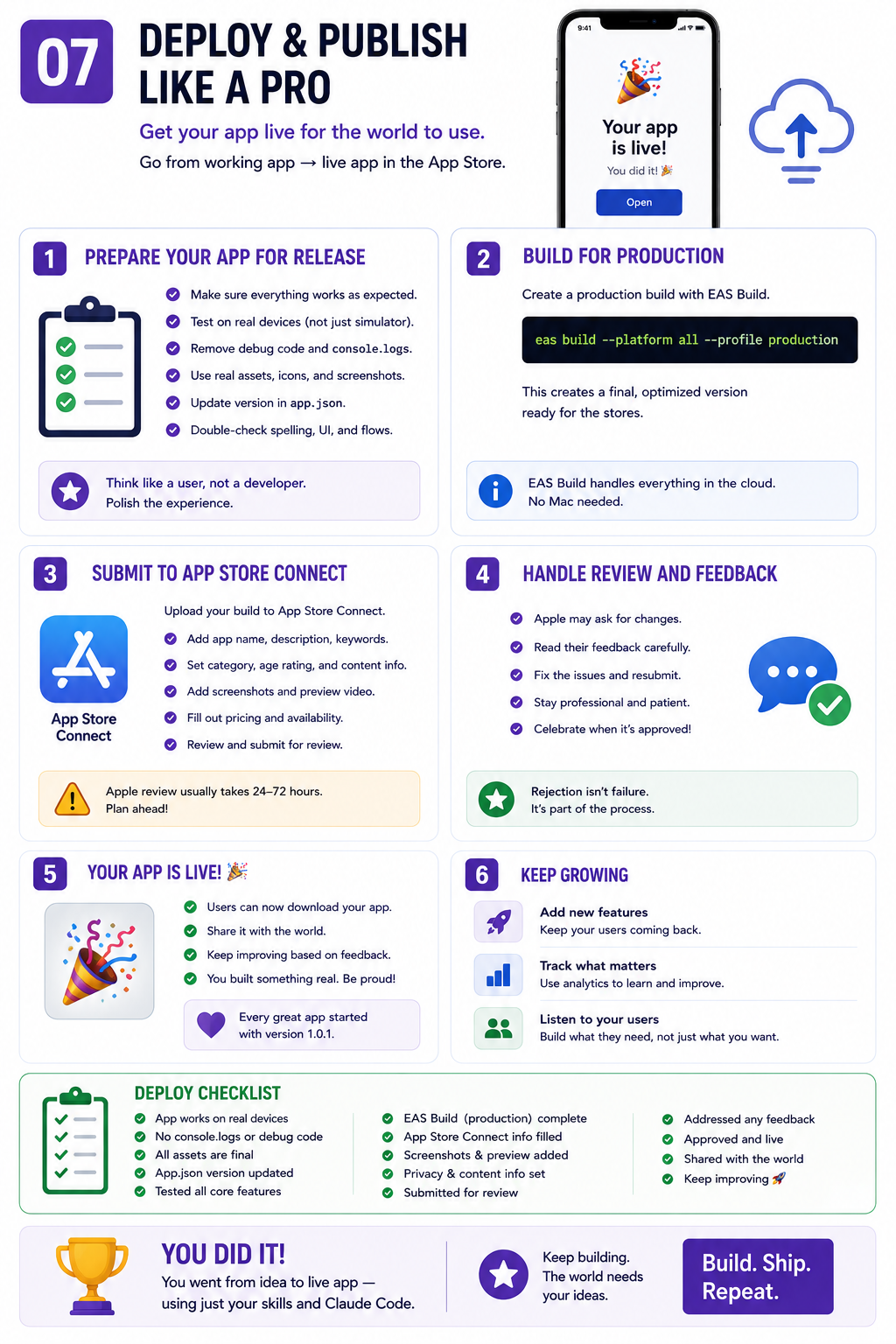
Full lesson: docs/course/lessons/08-publishing.md
- What actually happens when an app goes live: EAS Build compiles it in the cloud, EAS Submit pushes it straight to App Store Connect — no Mac, no Xcode, at any point
- For a class setting, this is often a walkthrough/demo rather than every student submitting for real — real App Store submission costs $99/year per developer account
- Deliverable: understand the path from "done" to "live," even if you don't personally publish
Module 9 — Growth Basics (Phases 10-16, overview only)
Full lesson: docs/course/lessons/09-growth-basics.md
- ASO (App Store Optimization) — why titles, screenshots, and keywords matter (identical to the native course — this doesn't depend on what stack built the app)
- The idea that an app isn't "done" at launch — it needs ongoing attention
- Deliverable: none required — this is context for what comes after the course
Final Project — Demo Day
Everyone shows their app running live in Expo Go on their own phone. 2-3 minutes each: what it does, what was hardest, what you'd add next.
What "done" looks like for this course
You don't need a published App Store app to succeed in this course. You need:
- An app that runs and does something real, live on your own phone
- The ability to read code well enough to know if it's doing what you asked
- Comfort directing Claude Code clearly instead of guessing at magic words